Module 2 練習講義 — 三種 AI 使用情境與 AI Agent 能力體驗
本講義對應 Module 2 的五個實作活動,提供可直接照做的步驟、可複製的 prompt、預期結果與討論題。設計上同時適合「現場帶領」與「課後自學」:每個練習都自成一段,附上要輸入什麼、會看到什麼、以及做完要思考什麼,教師離開工作坊後可獨立重做與延伸。
主角工具為 Module 1 設定的 Codex CLI;若你慣用 Copilot 或 Claude Code,指令與 prompt 幾乎相同,可直接互換。對話式 AI 請任選一項你有帳號的服務 (ChatGPT、Claude 或 Gemini)。
如何使用本講義
| 對象 | 建議用法 |
|---|---|
| 現場學員 | 跟著講師逐個練習操作,先看「要做什麼」,再貼上 prompt,最後一起討論「想一想」 |
| 課後自學 | 從練習 0 暖身開始,依序完成;每個練習都有獨立的素材與驗收點,可單獨重做 |
| 帶領講師 | 每節的「講師提示」標出示範重點與容易卡關處,可直接投影本講義 |
每個練習的固定區塊:目標 → 動手做 (含 prompt) → 預期結果 → 想一想。標示 ⭐ 的為進階延伸,時間不足可略過。
練習前準備
- 在你的家目錄底下開一個工作資料夾,例如
module2-lab/,本模組所有檔案都放這裡,方便整理與刪除。 - 開啟終端機,切換到該資料夾,執行
codex進入 AI Agent。 - 另開一個瀏覽器分頁,登入你的對話式 AI 服務 (ChatGPT / Claude / Gemini),等一下要做並排比較。
- 確認可以上網 (練習 1 到 3 需要);練習 4 的 Local LLM 階段可離線。
講師提示:先用一張投影片帶出本模組主線「先看差異、再看威力、最後談資料去哪裡」,讓學員知道每個練習在整條光譜上的位置。
練習 0 — 三種情境暖身 Warm-up
先用一張地圖定位:雲端回話、本機動手、本機離線。Use one map first: cloud response, local action, local offline work.

目標:在動手前,先用自己的話說出三種情境的差別,建立整體圖像。
動手做
對照下表,並嘗試把你最近一次用 AI 的經驗,歸到其中一格:
| 情境 | 代表工具 | 執行所在 | 會不會動手做 | 資料去向 |
|---|---|---|---|---|
| 聊天機器人 | ChatGPT、Claude、Gemini | 雲端 | 只回話,給文字/步驟/程式碼 | 送到雲端服務 |
| AI Agent | Codex、Copilot、Claude Code | 本機操作 (模型在雲端) | 會動手,開檔、執行、產出成品 | 指令在雲端,檔案在本機 |
| Local LLM | Ollama + gemma3:12b | 全程在本機 | 主要回話,可離線運作 | 完全留在本機 |
想一想
- 你過去用的 AI,幾乎都落在哪一格?
- 「給你程式碼要你自己跑」和「直接幫你把檔案做出來」,對非技術背景的你,差別有多大?
講師提示:請兩三位學員口頭舉例,刻意點出多數人只用過「聊天機器人」這一格,鋪陳接下來要體驗的另外兩格。
練習 1 — 簡單 use case:看出主要差異
what to do / can do / safety
目標:用同一個小任務,分別丟給聊天機器人與 AI Agent,親身辨識三個角度的差異。
動手做
任務:把下面這份清單整理成一個 hello.csv 檔,存到目前資料夾。先準備這份清單 (直接放進 prompt 即可):
姓名, 系所, 想用 AI 做的事
王小明, 應用英語系, 整理課堂逐字稿
李美華, 機械工程系, 把實驗數據畫成圖
陳大文, 資訊管理系, 自動產生小考題目
步驟 A — 先問聊天機器人
在瀏覽器的對話式 AI 貼上:
請把下面這份清單整理成 hello.csv,存到我目前的資料夾:
姓名, 系所, 想用 AI 做的事
王小明, 應用英語系, 整理課堂逐字稿
李美華, 機械工程系, 把實驗數據畫成圖
陳大文, 資訊管理系, 自動產生小考題目
觀察它的回應:它能不能真的在你電腦上產生檔案?還是只給你內容或一段程式碼要你自己存?
步驟 B — 再請 AI Agent 做
在 codex 視窗貼上同一段 prompt。觀察它:是否直接在資料夾建立 hello.csv、執行前是否先徵詢你同意、完成後是否回報結果。
步驟 C — 驗收
回到資料夾,用檔案總管或 ls 確認 hello.csv 真的存在,打開看欄位是否正確。
預期結果
- 聊天機器人:給你 CSV 內容或一段「請存成檔案」的程式碼,但你的資料夾不會多出檔案。
- AI Agent:資料夾實際出現
hello.csv,內容為三列資料加一列欄位標題。
想一想 (填三個角度)
| 角度 | 聊天機器人 | AI Agent |
|---|---|---|
| what to do (要它做什麼) | 給步驟/程式碼,要你自己跑 | 直接著手完成 |
| can do (它能做到什麼) | 不能碰你的檔案 | 能讀寫本機檔案、執行指令、產出成品 |
| safety (安全與資料去向) | 你貼的內容送到雲端 | 指令在雲端,檔案留在本機;執行前可逐步確認 |
講師提示:重點不是寫程式,而是讓學員「看到資料夾真的多了一個檔」。請刻意示範 Agent 執行前的確認提示,帶出 safety 概念。
練習 2 — 聚焦 AI Agent:較複雜 use case 展現威力
The Power of AI Agents
目標:用一個多步驟、串接工具的任務,體會 AI Agent 自行拆解步驟、執行、遇錯自我修正的能力,並看見它的邊界。
動手做
步驟 A — 先請 Agent 幫你造一份練習用 Excel
這樣不需要外部檔案,自學也能重做。在 codex 貼上:
請幫我建立一個 Excel 檔 scores.xlsx,放在目前資料夾。
內容是一張成績表,欄位為:班級、姓名、國文、英文、數學。
請填入 12 筆假資料,班級分成 A 班與 B 班各 6 人,分數介於 50 到 100 之間。
步驟 B — 多步驟分析與產出
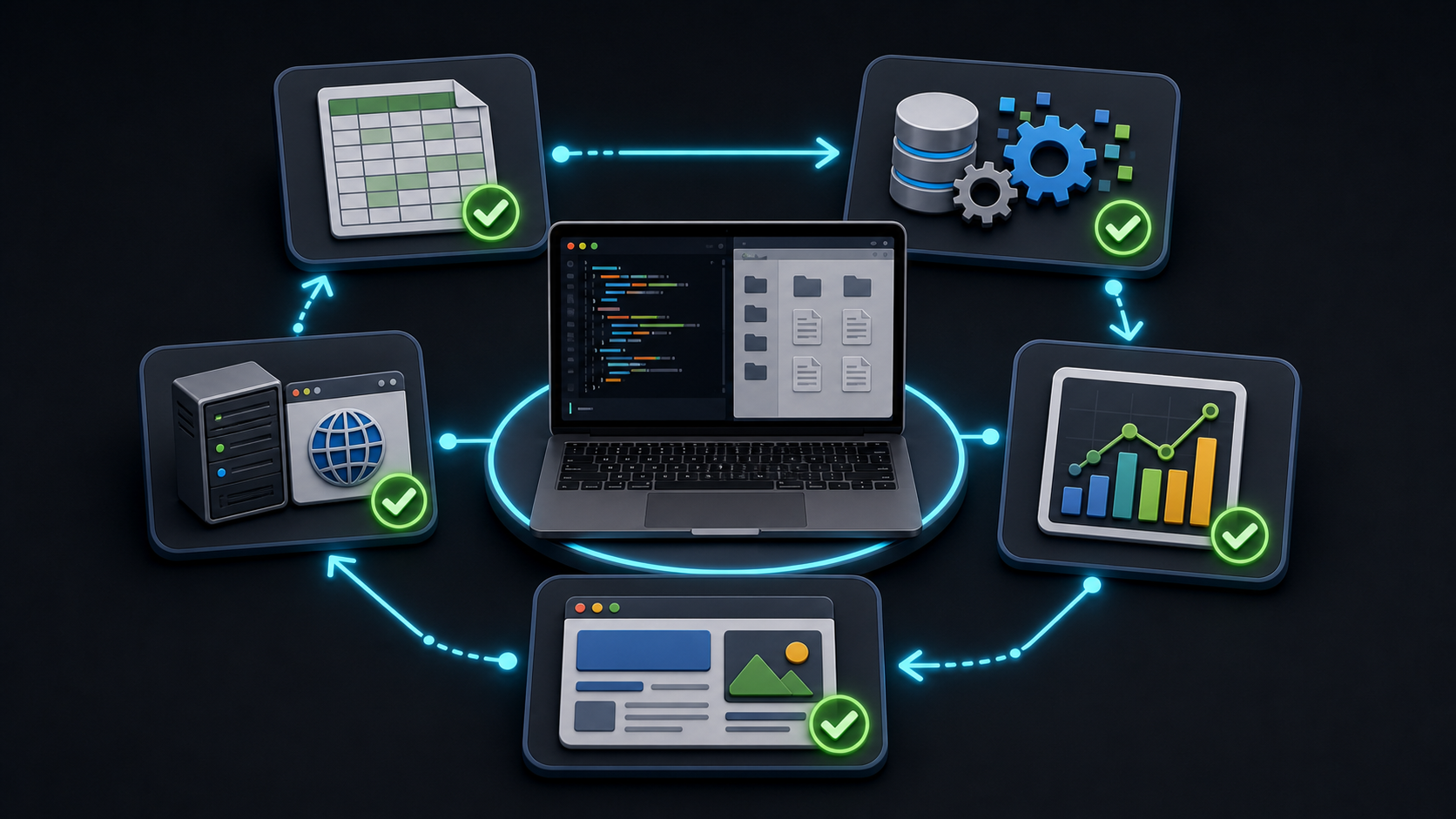
這個練習要觀察 Agent 如何拆解、執行、遇錯再修正。This exercise shows how an agent decomposes, runs, and recovers from errors.
接著貼上:
請讀取 scores.xlsx,幫我做以下事情:
1. 計算每位學生三科的總分與平均,新增為兩個欄位。
2. 分別算出 A 班與 B 班的各科平均。
3. 把結果存成一個新的 Excel 檔 scores-summary.xlsx。
4. 再做一張長條圖,比較 A 班與 B 班的三科平均,存成 chart.png。
5. 最後產生一個 index.html,把這張圖和班級平均表放進去,
   並用 local web server 開起來讓我預覽。
步驟 C — 觀察與預覽
看 Agent 如何把這串需求拆成數個步驟、逐一執行;若中途出錯 (例如套件未安裝),留意它是否自行修正再重試。完成後,依它給的網址 (通常是 http://localhost:8080 之類) 在瀏覽器打開預覽頁。
預期結果
資料夾應出現:scores-summary.xlsx、chart.png、index.html,且瀏覽器能開啟一個含長條圖與班級平均表的預覽頁。
想一想
- Agent 把這個任務拆成了哪幾步?哪一步你原本以為要自己做?
- 如果中途出錯,它是怎麼處理的?這跟「聊天機器人給你一段程式碼、出錯要你自己 debug」差在哪?
- 邊界與安全:哪些步驟你會想在 Agent 動手前先看一眼?什麼情況該由人介入把關?
講師提示:這節是「展現威力」的高潮。串接的正是 Module 1 已驗證的讀寫 Office 與 npx http-server 能力。若現場時間緊,可只示範步驟 B 的前三項,圖表與網頁當作課後延伸。
練習 3 — 用 AI Agent 抓開放資料存成本地檔
Module 3 引子
目標:用 AI Agent 從台灣政府開放資料平台抓一份現成資料,存成乾淨的本地 CSV,作為後續分析的素材。
範圍界定:本練習只做「抓現成的資料檔或 API」。瀏覽器導航、雜亂頁面的結構化擷取留到 Module 3。
動手做
步驟 A — 選一個開放資料集
到 data.gov.tw 搜尋一個你學科相關、且提供 CSV 或 JSON 直接下載的資料集 (例如「各級學校名錄」「空氣品質」「圖書館清單」)。複製它的資料下載網址。
步驟 B — 請 Agent 下載並整理
在 codex 貼上 (把網址換成你選的):
請從這個開放資料網址下載資料,存到目前資料夾的 data/ 子資料夾:
<貼上你的 CSV 或 API 網址>
下載後請幫我做最小整理:
1. 確認檔案能正確開啟、欄位名稱讀得出來 (注意中文編碼,必要時轉成 UTF-8)。
2. 列出前 5 筆資料讓我確認內容正確。
3. 存成一份乾淨的 data/clean.csv (UTF-8、有欄位標題)。
步驟 C — 驗收
打開 data/clean.csv,確認中文不是亂碼、欄位齊全。
預期結果
data/ 資料夾裡有原始下載檔與一份 clean.csv;Agent 在對話中列出了前 5 筆,編碼正確。
想一想
- 這份本地資料檔,可以怎麼接到你自己的教學或研究?
- 如果這個資料集是一個「網頁表格」而不是可下載的檔案,會怎樣?(這正是 Module 3 要處理的。)
講師提示:先幫學員準備 2 到 3 個確定可直接下載的資料集連結備用,避免現場卡在找不到乾淨來源。強調這份 clean.csv 就是 Module 3 的起點。
練習 4 — Local LLM 離線實作與資料隱私 ⭐ 進階
目標:在筆電上用 Ollama 執行 Local LLM,全程離線完成一項任務,補上三種情境中「完全在本機」的一端。
視時間與硬碟空間安排 (模型約數 GB)。若現場不做,可照本節課後自行完成。
動手做
步驟 A — 安裝 Ollama
到 ollama.com 下載對應作業系統的安裝檔並安裝。安裝完成後在終端機確認:
ollama --version步驟 B — 下載並啟動模型
ollama pull gemma3:12b
ollama run gemma3:12b
第一次 pull 會下載數 GB,需要網路;下載完成後即可離線使用。
步驟 C — 離線完成一項任務
為了體會「資料完全不出門」,請先關閉 Wi-Fi,再在 ollama run 的對話中貼上一段「不可外流」的範例文字 (用假資料即可):
請把下面這段學生輔導紀錄,改寫成一段中性、不含個資的摘要,
只保留可對外說明的重點:
(這裡貼一段你自編的假輔導紀錄,含姓名、學號等敏感欄位)
觀察:在完全離線的狀態下,模型仍能回應;你的敏感文字從頭到尾沒有離開這台筆電。
預期結果
斷網狀態下,Local LLM 仍給出一段去識別化的摘要;過程中沒有任何資料送往雲端。
想一想
- 同樣一段敏感文字,你會放心丟給雲端聊天機器人嗎?為什麼這裡可以?
- 速度、品質和雲端比起來如何?這個取捨你能接受嗎?
講師提示:若多數筆電空間或記憶體吃緊,可由講師單機示範一次即可,重點在「親眼看到斷網也能跑」。
綜合比較 — 四個面向的取捨
做完前面的練習後,用你自己的體感填寫下表 (示範值僅供參考):
| 面向 | 聊天機器人 | AI Agent | Local LLM |
|---|---|---|---|
| 回應品質 | 高 | 高 (且能產出真實成品) | 視模型而定,通常略低 |
| 速度 | 快 | 中 (含執行步驟的時間) | 視筆電效能,可能較慢 |
| 隱私 | 內容送雲端 | 指令上雲,檔案留本機 | 完全留在本機 |
| 成本 | 多為免費/訂閱 | 多為免費/訂閱 | 免費,但吃硬體與電 |
想一想
- 對你最常見的工作,哪一格最划算?
- 哪些任務你會混用 (例如先用 Agent 抓資料、再用 Local LLM 處理敏感段落)?
資料隱私判斷指引
資料能不能上雲,先問三題,再選工具。Before sending data to the cloud, ask three questions and then choose the tool.
若牽涉具名學生、受試者或個人,就偏向留在本機。If named students, participants, or individuals are involved, prefer local handling.
姓名、學號、成績、健康或輔導紀錄都需要提高敏感度。Names, IDs, grades, health, or counseling records raise sensitivity.
IRB、考試保密、個資法或校內規範都會影響去向。IRB, exam secrecy, privacy law, or campus policy affects where data can go.
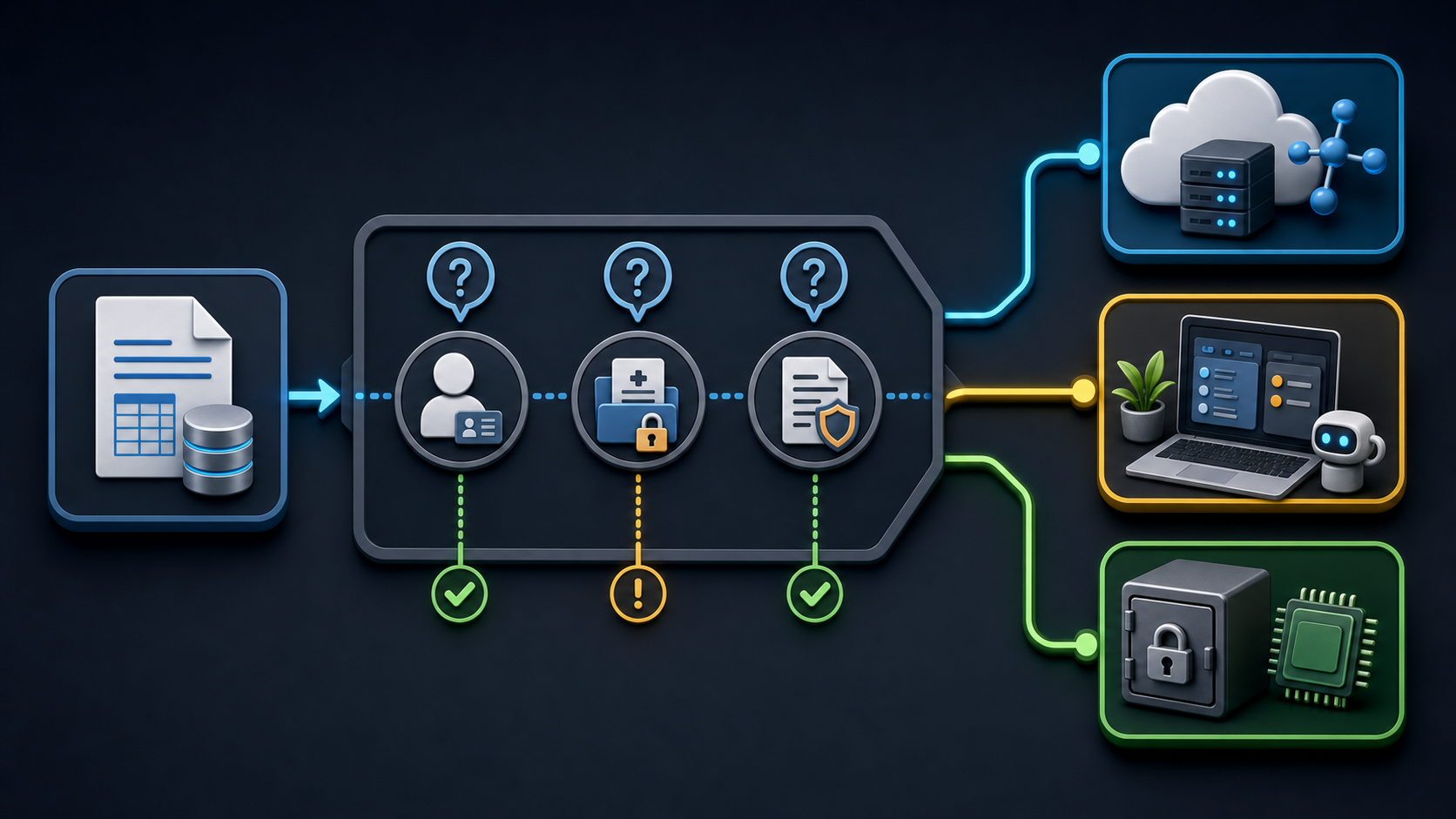
遇到一份資料時,先問自己這三題,再決定它適合上雲還是必須留在本機:
- 這份資料外流會傷害到誰? 會傷害到具名的個人 (學生、受試者),傾向留在本機。
- 它含有可識別身分的欄位嗎? 姓名、學號、身分證、聯絡方式、成績、健康/輔導紀錄,傾向留在本機。
- 有沒有規範或承諾限制它的去向? 研究倫理 (IRB)、考試保密、個資法,傾向留在本機。
| 資料類型 | 範例 | 建議去向 |
|---|---|---|
| 可公開 | 課程大綱、公開講義、開放資料 | 可上雲 (聊天機器人/Agent) |
| 內部但低敏感 | 去識別化的統計、匿名問卷彙整 | 視情況,謹慎上雲 |
| 高敏感 | 學生個資、未公開考題、研究原始資料 | 留在本機 (Local LLM) |
想一想
- 在你自己的學科裡,舉一個「必須留在本機」的具體資料,並說明原因。
自我檢核表
離開本模組前,逐項打勾確認:
- ☐ 我能說出三種情境 (聊天機器人、AI Agent、Local LLM) 的代表工具與差異。
- ☐ 我用同一個簡單 use case,講得出 what to do、can do、safety 三個角度的差別。
- ☐ 我操作 AI Agent 完成了一個多步驟任務 (讀檔、計算/整理、產出成品)。
- ☐ 我用 AI Agent 從 data.gov.tw 抓了一份開放資料,存成本地
clean.csv。 - ☐ (進階) 我用 Ollama + Gemma 在離線狀態下完成了一項 Local LLM 任務。
- ☐ 我能舉出至少一個需要本地處理的敏感情境,並說明原因。
課後速查 — 可重複使用的 Prompt 範本
把 <> 裡的內容換成你自己的,即可套用到你的學科:
整理清單成檔案 (簡單 use case)
請把下面這份清單整理成 <檔名>.csv,存到我目前的資料夾:
<貼上你的清單>
多步驟分析與產出 (複雜 use case)
請讀取 <你的檔案>,幫我:
1. <要計算/整理什麼>
2. 把結果存成 <新檔名>
3. 畫一張 <圖型> 存成 chart.png
4. 產生 index.html 放入結果,並用 local web server 開起來預覽
抓開放資料 (Module 3 引子)
請從這個網址下載資料,存到 data/ 子資料夾:<網址>
下載後確認欄位與中文編碼,列出前 5 筆,並存成乾淨的 data/clean.csv (UTF-8)。
Local LLM 離線去識別化
請把下面這段文字改寫成不含個資的中性摘要,只保留可對外說明的重點:
<貼上敏感文字>
常見問題
| 狀況 | 處理方式 |
|---|---|
| Agent 沒有真的建立檔案 | 確認你在 codex 視窗 (不是瀏覽器聊天機器人),且目前資料夾正確 |
| 中文 CSV 變亂碼 | 請 Agent 以 UTF-8 重新存檔,或在 prompt 明確要求處理編碼 |
| 預覽網頁打不開 | 確認 local web server 仍在執行,並用 Agent 給的完整網址 |
| ollama pull 很慢或失敗 | 確認網路與硬碟空間;模型較大,需耐心等待,下載後即可離線 |
| 不確定資料能不能上雲 | 回到「資料隱私判斷指引」三個問題,有疑慮就留在本機 |
延伸資源
- 三種情境對照表與四面向取捨表 (本講義上方)。
- 可重複使用的 prompt 範本 (上方速查)。
- 台灣政府開放資料平台:data.gov.tw。
- Ollama 官方網站與模型下載:ollama.com。
- 資料隱私判斷指引 (本講義),協助你判斷資料適合上雲或留在本機。